
Write your first daily note with Memos
Download and install Aino Desktop, then write down one thing you want to remember today.
- Choose “Start my first day”, then select an empty folder. Aino creates your notebook with the default Memos setup.
- Write a line in the first-day panel and choose “Save to today”. Aino opens the daily note so you can see what you saved.
- If the panel shows “Done”, select it to close the guide. The next time you want to write something down, open Quick Capture in the bottom right.
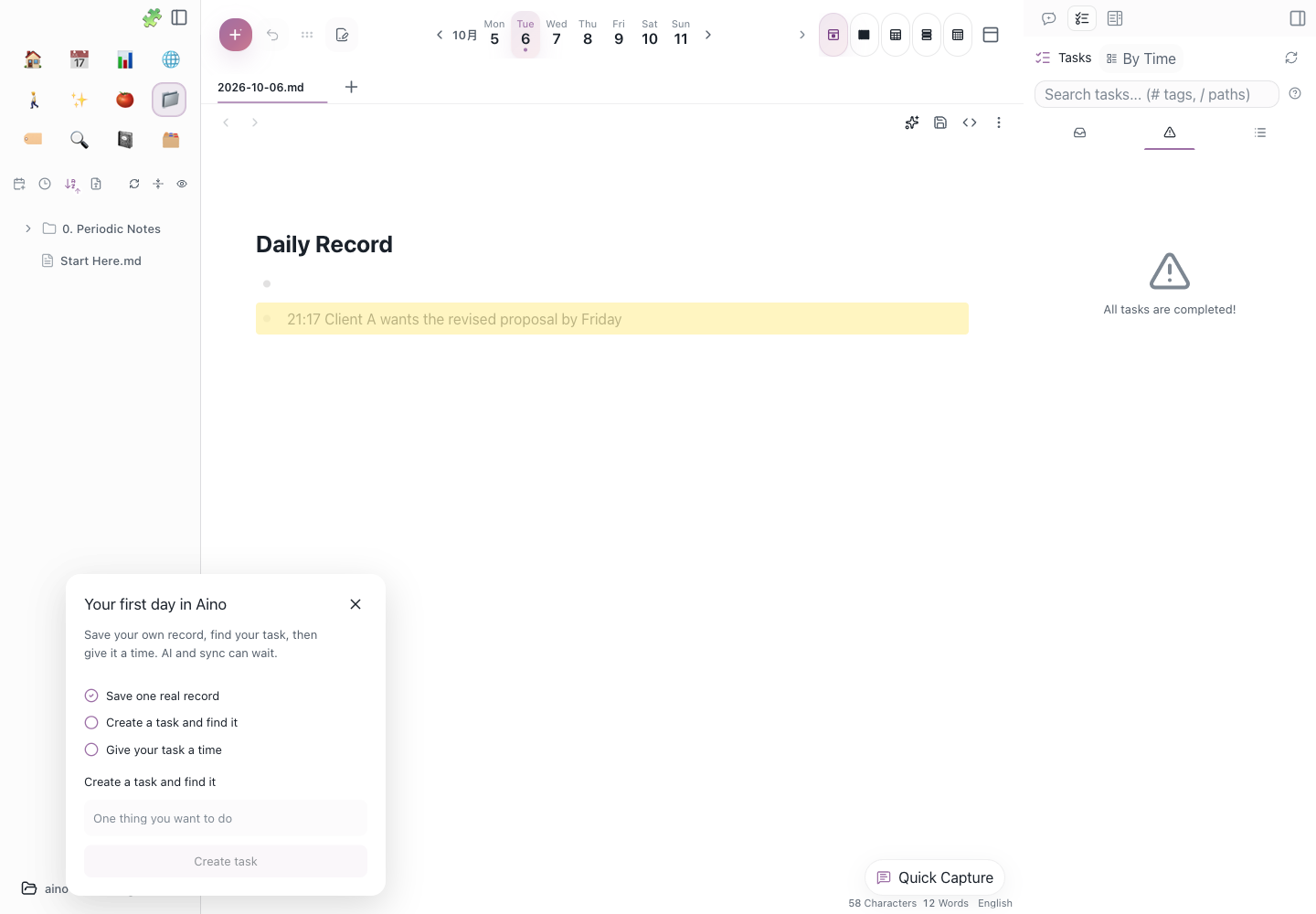
If you still see a setup or preview screen after choosing a folder, follow its prompts and select “Open Today”. If you already have a notebook, open it and use Quick Capture to start writing.
Read when needed
- Memos example vault — see examples of daily and weekly notes.
- Prepare a talk with IPO — bring notes from several days into one topic and use them to draft an outline.
- Core Concepts — learn about tags, themes, and periodic notes
- Calendar — give a task a time.
- Task Management — explore task states and operations
- Configuration — adjust folders and settings
Complete video course
Use the chapter markers when you want to explore more: