
Gmail in Aino Desktop
Aino Desktop brings local Markdown notes, tasks and an optional mail application into one workspace. The mail application can connect to Gmail, show your inbox and attachments, and let you reply while keeping the original message visible.
Mail is an experimental feature in supported development builds and is disabled by default. It is not yet included in the public stable release. The shared Aino Google sign-in is being prepared for verification; advanced connection settings remain available for your own Google OAuth client.
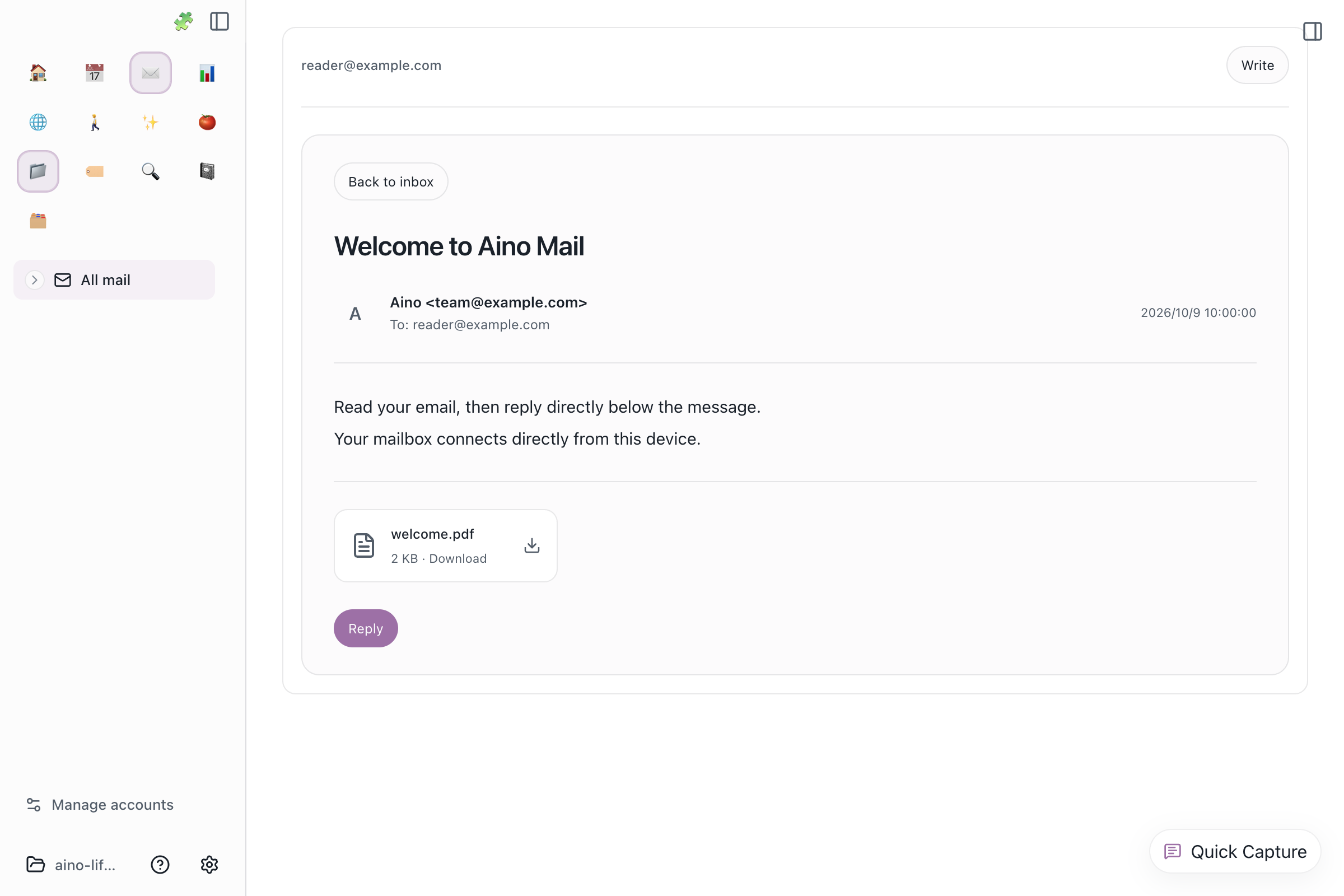
The sidebar groups all connected accounts. Read a message on the right, download an attachment you choose to keep, and use Reply to compose below the original message. Review the recipient, subject, message and attachments before confirming a send.
Connect Gmail
- In a supported build, enable the experimental mail application in settings.
- Open Mail, then Manage accounts at the bottom of the sidebar to reach settings.
- Choose the Gmail tab and connect your account. Advanced settings let you supply a Desktop OAuth client when needed.
- Google explains the requested permissions. Authorize only the account you intend to connect; you can cancel without enabling mail.
Permissions and data
Aino requests gmail.readonly to read the inbox, message headers, message bodies and attachments, and gmail.send to send messages and replies that you confirm. It does not request permission to delete or modify Gmail messages.
Your desktop connects directly to Google. The mail application does not route your messages or Google authorization tokens through an Aino server. Credentials, drafts and sending records are encrypted using the operating system's secure storage and saved locally; reading and synchronization caches are temporary in-memory data. Mail data is not used for advertising or training general-purpose AI models, and the mail application currently offers no cloud AI analysis.
Disconnect in mail settings to remove local credentials, drafts, sending records and caches. Disconnecting does not revoke the Google grant: you can also remove Aino in Google Account third-party connections.
Read the Privacy Policy and Terms of Service. For support or privacy questions, contact [email protected]. The screenshot uses fictional sample mail.